
E-PASS Toll App
Central Florida Expressway AuthorityBusiness
4.6678.00 Reviews
- Version
- 2.25
- Installs
- 500.00K
- Age Rating
- Everyone
Screenshots
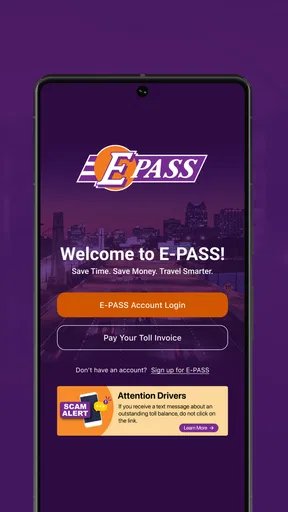
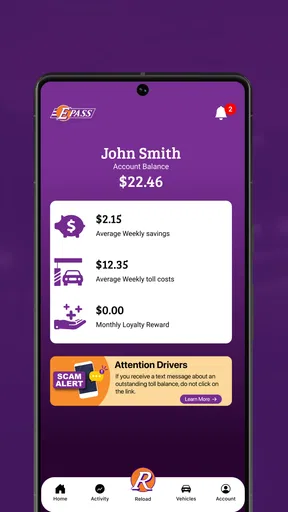
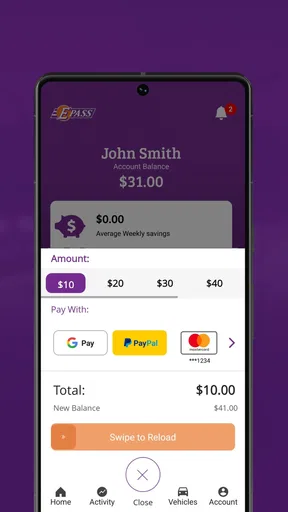
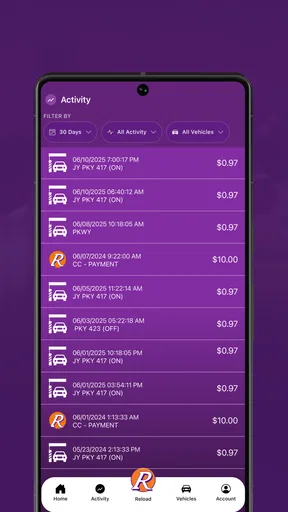
Our Review of E-PASS Toll App
 Analysis by Appyee
Managing toll travel is one of those jobs I prefer to finish before I leave home. I do not want to discover an account problem at a toll point, guess whether a recent trip has been charged, or remember to check my balance only after it becomes urgent. E-PASS Toll App is built for that practical routine. It is a free business app from Central Florida Expressway Authority that puts account management, toll activity, balance checks, and reloads in one mobile place.
After spending time with it, I see the app as a focused companion rather than a broad travel planner. It is not trying to replace navigation, estimate every possible driving cost, or entertain you during a journey. Its value is narrower and more useful: it gives E-PASS customers a convenient way to look after the toll account connected to their everyday driving. That focus makes it easy to understand, although it also means people outside the E-PASS system will find little reason to keep it installed.
How the everyday E-PASS routine works
The basic workflow is straightforward. I open the app when I want to check the account balance, review toll activity, or reload the account. Those actions answer the three questions I most often have as a toll customer: Is my account in good shape? What recent charges have appeared? Do I need to add funds?
That order matters. I prefer to look at the balance first, then inspect activity if the amount seems different from what I expected. Only after that do I reload. This small habit avoids adding money simply because a balance looks unfamiliar, while also giving me a quick way to investigate recent toll use. The app is most useful when treated as a regular account-checking tool, not as something opened only during a roadside emergency.
For a normal weekday drive, I might check the account before leaving, use the roads as usual, and later review the activity when I want to match travel with the account record. That is especially helpful when several people use the same vehicle or when I have made multiple trips close together. Instead of relying on memory, I can use the account history as a reference point.
The app also suits occasional drivers. Someone who uses toll roads only for airport trips, appointments, or weekend travel may not want a complicated financial dashboard. A quick balance check before a longer drive and a follow-up review afterward can be enough. I would still avoid waiting until the last minute if the account needs attention, because any account-management app is more useful when there is time to deal with a problem calmly.
What I check before and after a trip
Before a trip, I focus on the available balance and whether the account appears ready for the journey. I do not use the app as a navigation tool, so I plan the route elsewhere and then use E-PASS Toll App for the account side of the decision. That separation is sensible: the app handles the toll account, while a mapping service handles directions and traffic.
Afterward, I look at toll activity rather than trying to calculate every charge from memory. This is one of the app’s more practical strengths. A recent transaction list can help me recognize a trip, notice an unexpected entry, or identify that a charge belongs to another driver using the account. It is not a replacement for careful account review, but it makes that review much less tedious than waiting for a paper statement or signing in through a desktop browser.
One useful habit is to review activity in batches instead of opening the app repeatedly during the day. I check after a group of toll-road journeys, then compare the entries with my calendar or travel notes. This is more efficient for people who drive frequently and still gives enough context to spot something unusual.
Settings and account details worth checking
The most important setup work happens around the account itself. I recommend confirming that the account shown in the app is the one you actually intend to manage before making changes. That sounds obvious, but it matters in households where more than one person has access to toll accounts or where a phone has previously been used for another login.
I also treat reloads as a deliberate action rather than a reflex. Before confirming one, I check the current balance and recent activity. This two-step check is a simple safeguard against topping up because of a temporary misunderstanding. It also helps me keep a cleaner record of why money was added.
When reviewing account information, I pay attention to the difference between a balance view and a transaction view. The balance tells me the current position; activity gives me the explanation. Looking at only one can lead to the wrong conclusion. For example, a recent toll may make the balance seem lower than expected, while an older adjustment or account event may explain a change that is not tied to today’s drive.
The best setting is often a repeatable checking habit, not a buried option. I would rather have a clear routine for checking the balance and activity than assume an app will prevent every account issue automatically. E-PASS Toll App works well when I stay involved in those decisions.
Another sensible preparation step is keeping the app available before a long trip rather than installing it at a fuel stop. Account tools are most comfortable when the phone has a reliable connection and I am not distracted by traffic, luggage, or a departure deadline. I do not consider that a flaw unique to this app; it is simply good practice for any service that handles account changes.
Faster patterns for frequent users
Experienced users can make the app feel faster by reducing unnecessary checks. I use three moments: a pre-trip balance check, a post-trip activity review, and a reload only when the account needs it. That rhythm is more efficient than opening the app after every individual toll, especially for a commute with several toll points.
For a household vehicle, the activity screen can become a shared reference. If one driver takes the car on a toll route, the account history later gives everyone a common record. I find this more reliable than asking someone to remember the exact time or road used. It can also make monthly budgeting easier because toll use is visible in the same account workflow as the balance.
For work-related driving, I would review activity at a consistent time and save the relevant details in whatever expense system I already use. The app itself is useful for seeing the account record, but I would not assume that a toll-account screen automatically replaces an employer’s expense process. My approach is to use E-PASS Toll App as the source I consult, then organize information separately for reimbursement or bookkeeping.
Another efficient pattern is to investigate before reloading. If the balance is lower than expected, I first inspect recent activity. If everything looks familiar, I reload and move on. If something looks wrong, I pause instead of adding funds immediately. That distinction is important because a reload fixes a funding need, not necessarily a question about a transaction.
I also prefer making account changes when parked. The app is designed for account management, and there is no good reason to interact with it while driving. Checking the balance before starting or after arriving keeps the task simple and avoids turning a minor administrative action into a distraction.
Where the focused design helps, and where it stops
The app’s narrow purpose is its main advantage and its clearest boundary. If I already use E-PASS and want mobile access to the account, the feature set is easy to understand. If I want route planning, live traffic, broad travel budgeting, or a universal toll calculator, I need other tools alongside it.
That is not necessarily a weakness. In my experience, specialized account apps can be easier to trust because the important actions are not hidden among unrelated travel features. The trade-off is that I have to switch between apps: one for directions, another for fuel or parking, and E-PASS Toll App for toll-account management. People who want one all-purpose driving dashboard may find that separation inconvenient.
The app also depends on the E-PASS account relationship. A driver who rarely uses Central Florida toll facilities, does not have an E-PASS account, or mainly manages tolls through a different regional system should probably skip it. Installing it will not make a non-E-PASS account easier to manage. For those users, the relevant toll authority’s own service is the better choice.
Even for an E-PASS customer, I would not treat the app as the only record worth keeping for important financial questions. The activity view is convenient for routine checking, but if I am resolving a disputed charge or preparing formal records, I would take the time to preserve the details through my normal documentation process. Convenience and completeness are not always the same thing.
There is also a practical limitation in mobile account management: a phone is not always the best place for detailed investigation. A larger browser screen may be more comfortable when reviewing a long period of activity or handling complicated account questions. I use the app for quick checks and ordinary maintenance, while preferring a fuller account-management route when the issue needs careful comparison.
Who will get the most from it
I would recommend E-PASS Toll App to regular E-PASS customers who want quick access to their balance and toll history without waiting until they are at a computer. It is particularly useful for commuters, households sharing one account, and drivers who want a simple reload workflow before a busy travel day.
It can also help people who are trying to build a clearer toll budget. By checking activity consistently, I can connect actual trips with account changes instead of treating toll spending as an invisible expense. That is a modest feature in technical terms, but it has real value in everyday planning.
I would be more cautious recommending it to someone who expects detailed route intelligence or a complete transportation planner. The app’s job is account management. If your main question is “Which route should I take right now?” this is the wrong tool. If your question is “What happened to my E-PASS balance, and do I need to reload?” it is much more appropriate.
Compatibility, cost, and general accessibility
The app is free, carries an Everyone content rating, and supports devices running Android 8.0 or later. That makes it approachable for many users, including people who keep a dependable older phone rather than upgrading frequently. Its current version is 2.25, and the app has been available since July 17, 2019, giving it a reasonably established place in the E-PASS account-management routine.
Its public reception is also encouraging: it holds a 4.6 average from around 2.9 thousand ratings, with over 500 thousand installs and roughly 678 written reviews. I see those figures as a sign that the app has found a real audience, not as a guarantee that every account issue will be effortless. Account services can still involve confusing transactions, login friction, or situations that require more direct assistance.
Because it is free, the decision is mostly about usefulness and fit rather than purchase cost. I would install it if I regularly manage an E-PASS account from my phone. I would not install it merely because I drive in Florida occasionally without knowing whether E-PASS is the account service I use.
My verdict after building a repeatable workflow
E-PASS Toll App is at its best as a calm, repeatable account tool. I check the balance before important toll travel, review activity afterward, and reload only after I understand what the account is showing. That workflow gives the app a clear role and prevents me from expecting it to do things it was not designed to do.
What I like most is the practical concentration: balance, toll activity, and reload access are the actions I need when managing E-PASS on the go. The main limitation is equally clear: it does not replace navigation, broader travel planning, or a full solution for people using another toll system. I also keep a larger-screen option in mind for detailed disputes or extensive record keeping.
For an E-PASS customer, the free app is an easy recommendation, especially if you prefer checking an account before a trip instead of reacting to a problem afterward. Central Florida Expressway Authority has made a focused business app that fits a real driving habit. I would use it as part of a small toolkit: a navigation app for the road, and E-PASS Toll App for keeping the toll account understandable and ready.
Verdict
Strengths of E-PASS Toll App
- Quickly check toll charges and account balances on the go.
- Convenient access to transaction history for travel expense tracking.
- Useful alerts can help users monitor low balances or account activity.
- Reduces the need to visit toll offices for routine account management.
- Supports easier trip planning by showing relevant toll account details.
Limitations of E-PASS Toll App
- Some features may require an active E-PASS account and registered vehicle.
- Coverage and functionality can vary depending on the supported toll network.
- App performance may depend on mobile signal or internet availability.
- Users may need to update payment details manually when cards expire.
- Occasional login or verification issues can make urgent access inconvenient.
Similar Picks in This Category
View All
LinkedIn: Community & Network
LinkedIn3.8

Zoom Workplace
zoom.com4.1

Microsoft Teams
Microsoft Corporation4.6

Meta Business Suite
Meta Platforms, Inc.4.6

Webex Meetings
Cisco Systems, Inc.4.5

TeamViewer Remote Control
TeamViewer4.4
Frequently Asked Questions
What is the E-PASS Toll App used for?
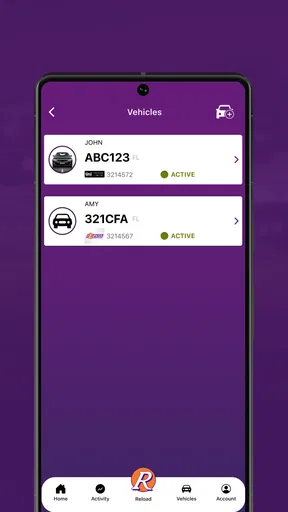
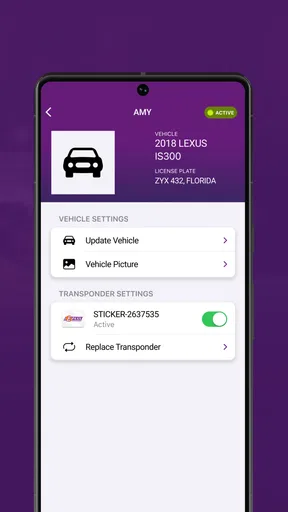
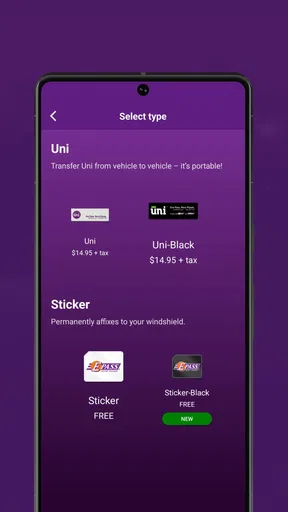
The E-PASS Toll App is designed to help drivers manage their electronic toll account from a mobile device. Depending on the supported region and account type, users can review toll activity, check balances, add or update payment methods, manage vehicles, and monitor transponder information. It is especially useful for drivers who want quicker access to account details without relying only on the E-PASS website or customer service.
Can I use the E-PASS Toll App without an E-PASS account or transponder?
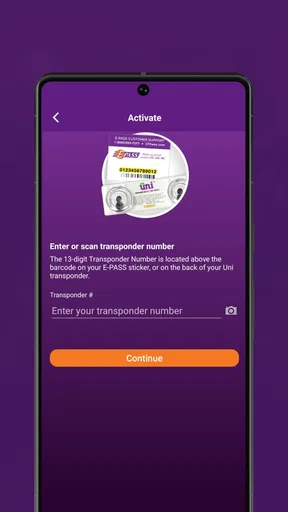
Most of the app’s account-management features require an existing E-PASS account, and some functions may also depend on having a registered transponder or participating vehicle. You may be able to download and open the app without signing in, but checking transactions, making payments, or managing vehicles generally requires account credentials. Availability can vary according to the E-PASS program and your location.
Can I pay toll charges or add money through the E-PASS Toll App?
The app may allow eligible users to make payments, replenish a prepaid toll balance, or update the credit or debit card connected to their account. Before relying on it while traveling, check the payment screen for accepted methods, processing times, and any applicable fees. A successful payment does not necessarily remove toll charges immediately if a transaction is still pending or under review.
Does the E-PASS Toll App show toll transactions and account activity?
Yes, one of the app’s most useful purposes is giving account holders access to recent toll activity and related account information. Users can typically review charges associated with registered vehicles or transponders, identify unfamiliar transactions, and monitor their available balance. Transaction timing may not always be instant, so recent trips can take some time to appear in the account history.
Is the E-PASS Toll App safe, and what should I do if I have login problems?
The app is intended for managing sensitive account and payment information, so users should download it only from the official Google Play Store or Apple App Store and keep the application updated. Use a strong, unique password and avoid entering credentials on public or unsecured networks. If sign-in fails, use the password-recovery option and contact official E-PASS support rather than relying on unofficial websites or messages.
